Zolatek Group
- Client
- Zolatek Group
- Year
- 2026
- Category
- Product Engineering, Web Development, AI Orchestration
- Status
- Live on Vercel
Overview
A previous colleague contacted me about Zolatek. That conversation became a direct approach from the client, who shared the company profile and a small set of supporting documents covering construction, protection, advisory work, sectors, and representative experience. The materials were useful, but they were not yet a website. They described a group with several capabilities, audiences, and kinds of work, without giving those ideas a single digital structure.
I took the brief as a product engineering problem. The work was not only to make a polished marketing page. It was to extract the most reliable information from the source documents, decide how a serious prospective client should move through it, create a visual system that could hold the range of services, and then engineer the result into a fast, maintainable website. I framed the product, designed it, built it, deployed it, and verified it.
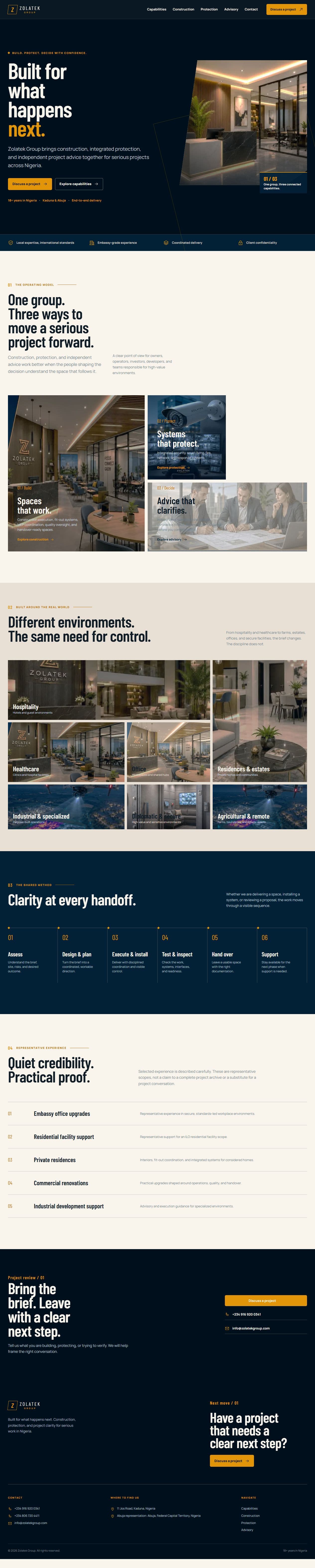
The result is Zolatek Group, a five-route website for a company that helps clients build, protect, and make better project decisions. Its three capabilities are construction, integrated protection and smart systems, and independent project advisory. The site is deliberately composed around clarity and confidence rather than volume. It gives a visitor a clear next step without asking them to understand the whole organization before they can begin a conversation.
From documents to a product model
The first phase was document interpretation. I read the company profile and the supporting construction, protection, and advisory material as source data, not as finished copy. The distinction mattered. Some material described a capability, some described a type of environment, and some described representative experience. Treating all of it as the same kind of content would have made the site read like a brochure and would have made it difficult for a visitor to understand what Zolatek actually does.
I separated the information into a few practical questions. What can Zolatek deliver? Who is the work for? What risks or decisions does each capability address? What evidence can be presented responsibly? What should remain a conversation rather than a claim on the site? This approach kept the language grounded. It also protected the client from turning representative experience into a list of implied guarantees.
The product model became one group with three connected capabilities. Construction covered execution, fit-out, MEP coordination, quality oversight, and handover-ready spaces. Protection covered security, smart living, fire, network, and response systems. Advisory covered feasibility, site, budget, contractor, fit-out, and execution guidance before capital was committed. The common thread was control at important handoffs, from a first brief to a finished space.
Information architecture
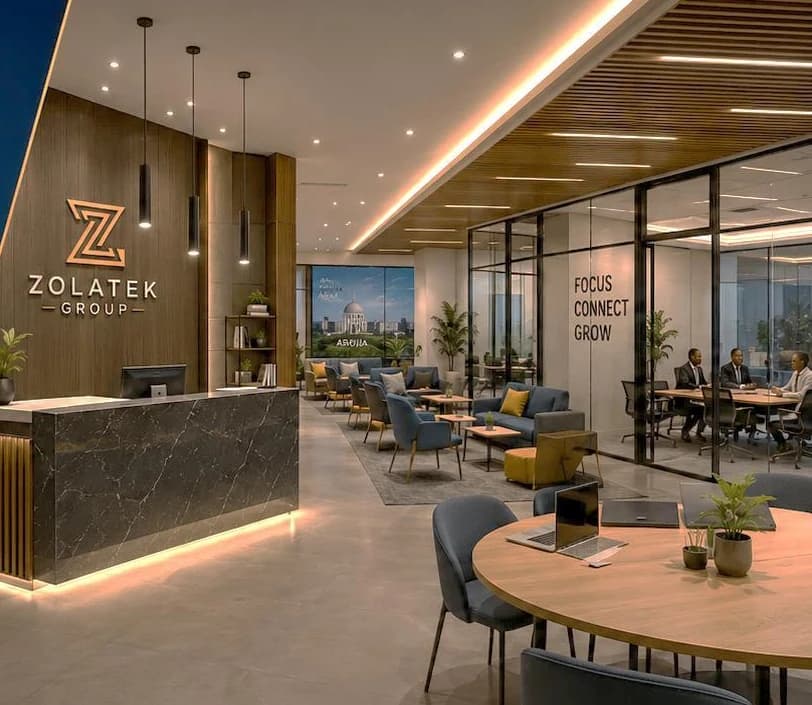
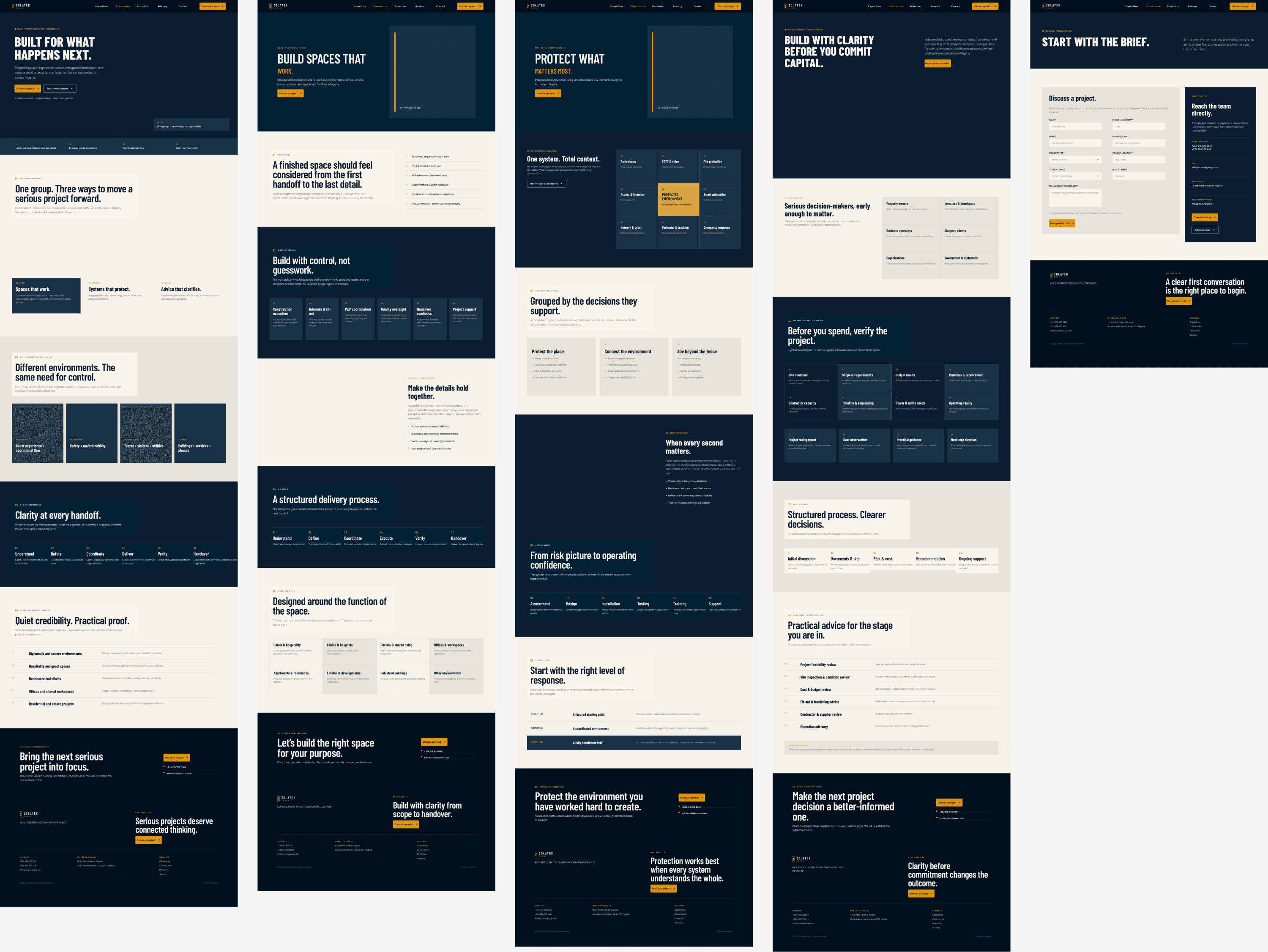
The information architecture followed the product model instead of forcing every service into one long page. The home route establishes the group story and gives each capability a meaningful entry point. The construction, protection, and advisory routes then explain the individual disciplines in their own language. The contact route turns interest into a project-review request.
That produced five routes: the home page, construction, protection, advisory, and contact. Shared navigation keeps the group visible across all of them. The home page also introduces sectors, a shared process, and representative experience, so visitors can orient themselves before choosing a capability. This is a small structural decision, but it prevents the common failure mode where a multi-service company presents three disconnected businesses with no operating logic between them.
I organized the experience around a visible sequence: assess, design and plan, execute and install, test and inspect, hand over, and support. The sequence is useful because it gives each capability a common operating language without pretending that every project is identical. It also gives the website a way to communicate confidence through process rather than through unsupported numbers.
AI orchestration as the working method
The project was AI orchestrated from the initial interpretation of the documents through the Figma design and the production implementation. That did not mean sending one prompt to an AI system and accepting the first result. The working method used a controller, executors, and review loops. The controller maintained the product intent, constraints, and acceptance criteria. Executors handled focused tasks such as extracting themes, proposing page structures, generating component directions, drafting implementation details, and checking the result. Review loops compared each output against the source material and the intended experience.
AI helped create momentum across the whole system. It did not supply the product judgment. I supplied the framing, selected the useful directions, rejected generic patterns, and corrected the details that affect whether a site feels considered or merely assembled.
Building the Figma system
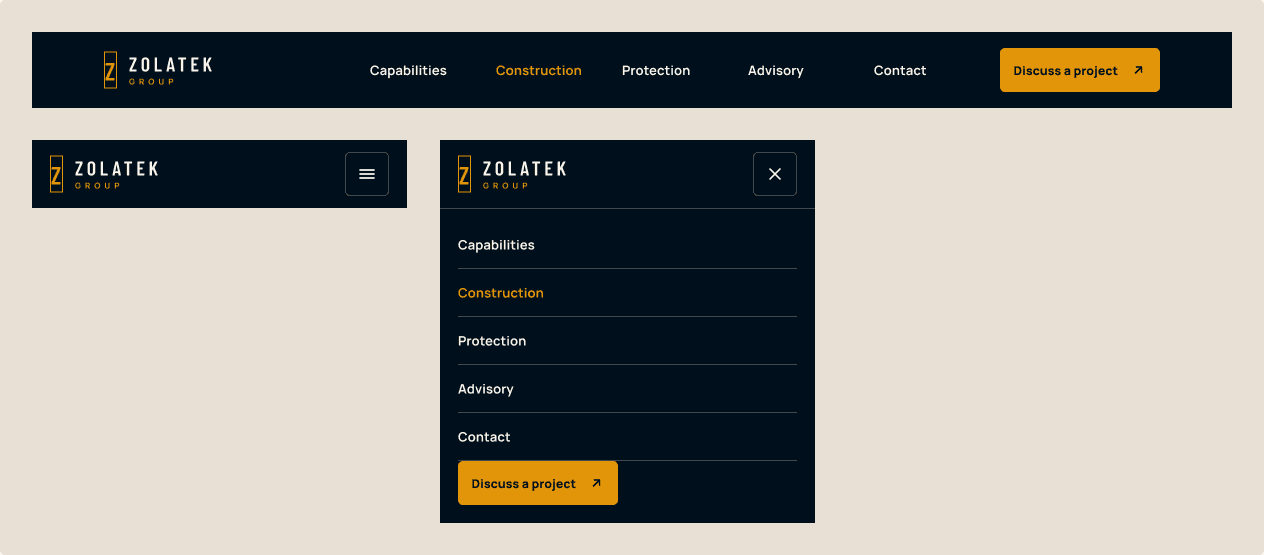
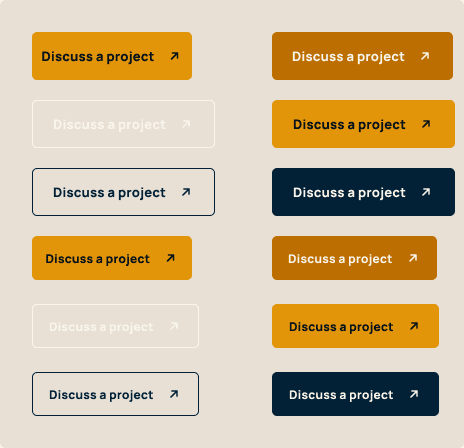
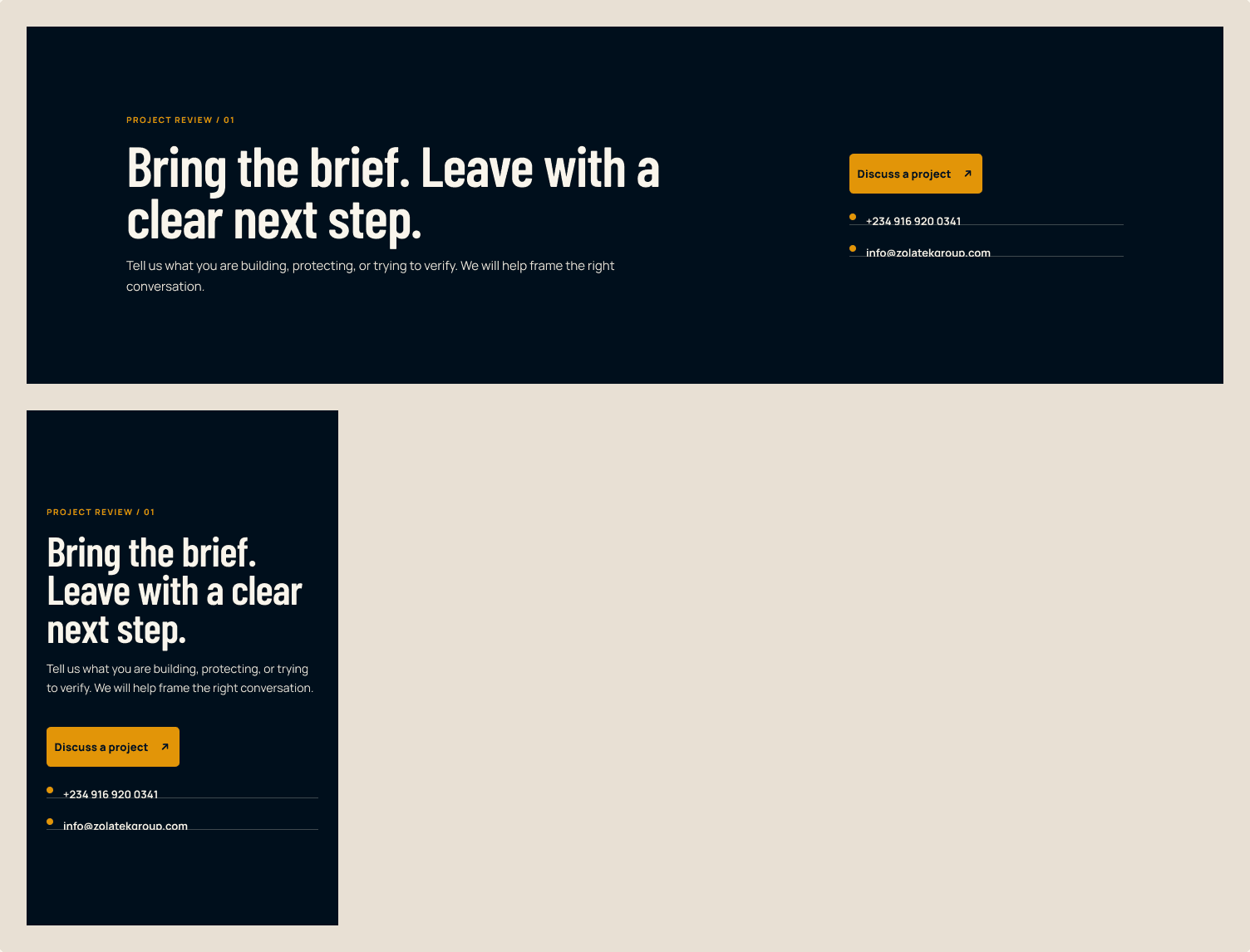
The Figma file was treated as a production system, not as a collection of isolated screens. It contains four variable collections and 48 variables, including 15 semantic aliases. The file also contains 15 text styles, one elevation style, nine component sets, and 37 component variants. The component sets cover Brand Mark, Button, Header, Form Field, Section Intro, Page Hero, Process Step, CTA Section, and Footer.
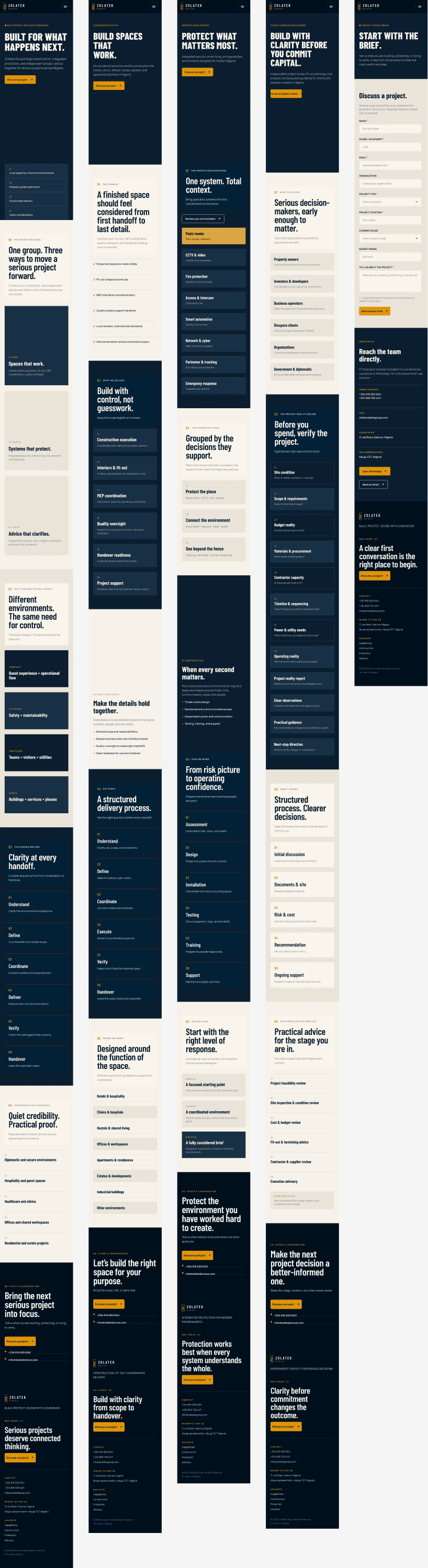
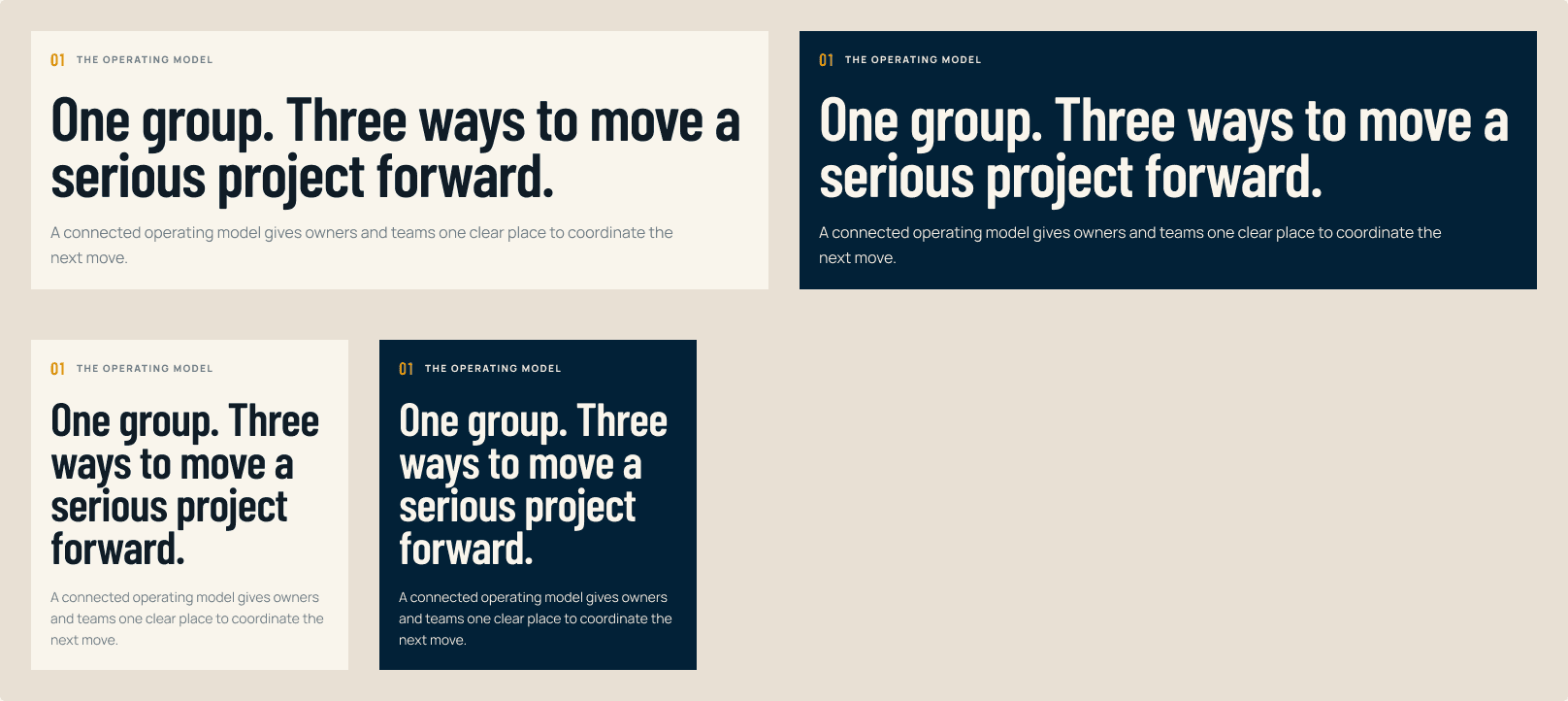
The system was designed around the actual brand vocabulary: structural navy, midnight, amber, deeper amber, architectural paper, warm stone, ink, muted blue-gray, and hairline. Barlow Condensed provides the decisive display voice and Manrope carries navigation, body copy, controls, and metadata. The file has five 1440 pixel desktop screens and five 375 pixel mobile screens, with 18 production image fills and no missing fonts.
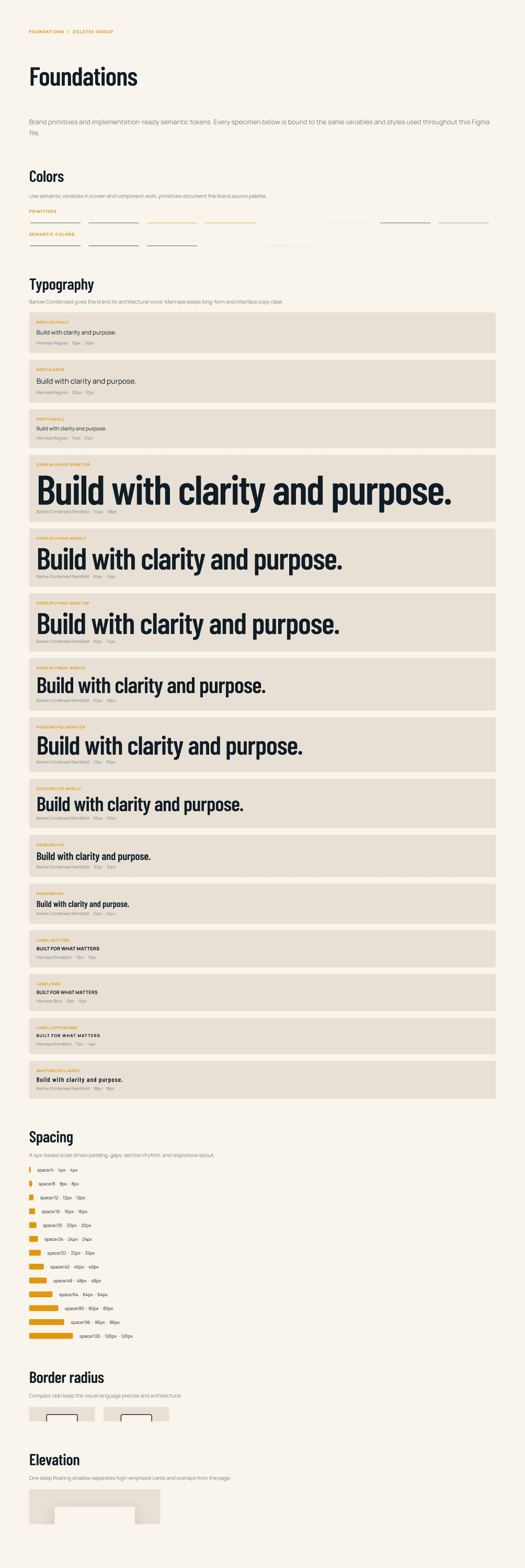
The important part of the system was not the number of variables. It was the relationship between them. Structural colors had to support long reading surfaces, amber needed to remain an action and wayfinding color rather than become decoration, and the typography had to hold both short labels and substantial explanatory copy. Components were built to make those decisions repeatable. A Section Intro could change its content without losing hierarchy. A Page Hero could carry different imagery and still preserve the same route-level orientation. A CTA Section could close each page with a clear next move without becoming a repeated sales banner.
Human correction inside Figma
The first AI-generated directions were productive, but they were not final. I had to correct auto-layout relationships, clipped headings, page organization, responsive behavior, hierarchy, and image treatment inside Figma. These are exactly the kinds of issues that can disappear when a design is judged only as a static screenshot.
Some auto-layout frames had technically valid constraints but the wrong relationship between content and space. I corrected the padding and alignment so that a longer heading did not push a call to action into an accidental secondary position. A few display headings clipped at mobile widths because the generated frame treated the text as a fixed visual object. I changed the constraints, checked the 375 pixel frames, and adjusted the typographic hierarchy so the line breaks felt intentional.
I also reorganized the pages. The first pass gave equal visual weight to too many ideas. The final structure makes the group story primary, the three capabilities easy to scan, and the process visible without competing with the next action. Image treatment needed the same intervention. Source imagery had different crops and visual temperatures, so I corrected the frames and overlays to keep the site coherent while allowing each photograph to retain useful context.
This is where skilled human direction matters. AI can generate a plausible frame, but it does not automatically know which constraint carries the brand, which line break changes the meaning of a page, or when a visually balanced image has become misleading. Correction is not a failure of orchestration. It is the part that turns orchestration into design work.
From Figma to production
The production build translates the Figma decisions into custom CSS and shared React components. The token system is represented with OKLCH custom properties for the structural navy, midnight, amber, deeper amber, architectural paper, warm stone, ink, muted blue-gray, and hairline roles. The site uses no UI framework. This kept the implementation close to the design system and made the relationship between a token and a rendered surface easy to inspect.
The component layer follows the Figma file: Brand Mark, Header, Page Hero, Section Intro, Process Rail, sector mosaic, experience list, CTA Section, project form, and Footer. The content model lives in lib/site.ts, which centralizes navigation, contact details, process steps, sector information, and representative experience. Shared components consume that data rather than duplicating it across routes.
Product engineering
The website is built with Next.js 15.5.4 App Router, React 19.1.1, and TypeScript. Fonts load through next/font, and local WebP assets render through next/image. The result is a statically generated site with five route pages, shared layout components, and a small, explicit data layer. The implementation includes page metadata, Open Graph configuration, robots and sitemap routes, and a ProfessionalService JSON-LD object for the organization.
The contact form is intentionally honest about its boundary. It prepares a project-review request for a mailto handoff rather than implying a server-side submission system that does not exist. That decision keeps the experience simple and keeps the implementation aligned with the actual delivery model. The same principle applies to the content. The website describes representative experience carefully and does not invent project counts, awards, certifications, or outcomes that were not provided.
Accessibility and interaction
Accessibility was part of the implementation, not a final checklist. The site has a skip link, semantic landmarks, a single main content region, descriptive image alternatives, and a keyboard-operable mobile navigation disclosure. Interactive controls use visible focus treatment and practical minimum target sizes. The layout has responsive fallbacks for the process rail, image compositions, lists, and form fields.
Motion is restrained and state-based. Image frames use a controlled hover scale, navigation links use a short underline transition, and buttons respond with a small positional shift. A reduced-motion media query disables animation and transition movement for visitors who request it. The result keeps the site alive without making a serious project website feel like a promotional demo.
Deployment and observability
The site is deployed to Vercel and is live at zolatek.vercel.app. The build is configured for a self-contained Next.js deployment, with reactStrictMode enabled and the powered-by header disabled. Vercel Web Analytics is rendered from the root layout so visitor data can be collected across the five routes rather than only on the home page.
Deployment verification was treated as part of engineering completion. A local production build checked the route graph, TypeScript integration, static assets, metadata, and server-rendered pages before the deployment was considered ready. The Vercel URL then provided the final check that the same route structure and visual system were available outside the development environment.
Why AI orchestration matters
AI orchestration is going to matter more in design because the work is increasingly a connected system rather than a single artifact. A good product engineer may need to move from source documents to information architecture, from architecture to visual tokens, from tokens to components, and from components to production code. AI can reduce the cost of moving between those layers, especially when each task has a clear scope and a reviewable output.
The advantage is not that AI removes the need for a designer or engineer. The advantage is that a skilled person can coordinate more useful iterations. One agent can inspect the brief, another can test a component direction, another can translate a confirmed decision into code, and a reviewer can check the result against accessibility and technical constraints. The human still decides what is true, what is useful, what is on-brand, and what is ready to ship.
Reflection
Zolatek was a useful demonstration of product engineering as a full discipline. The work began with an imperfect set of documents and ended with a coherent information model, a documented Figma system, a responsive implementation, a verified deployment, and analytics that can show how the site is being used. The continuity between those stages was more important than any individual screen.
The final result is not an AI-generated website presented as finished work. It is a designed and engineered system in which AI accelerated exploration and execution while human judgment handled correction, hierarchy, semantics, and tradeoffs. That relationship is the future I am interested in: orchestration that increases the range and speed of the work, with enough product and technical skill to know when the output needs to change.